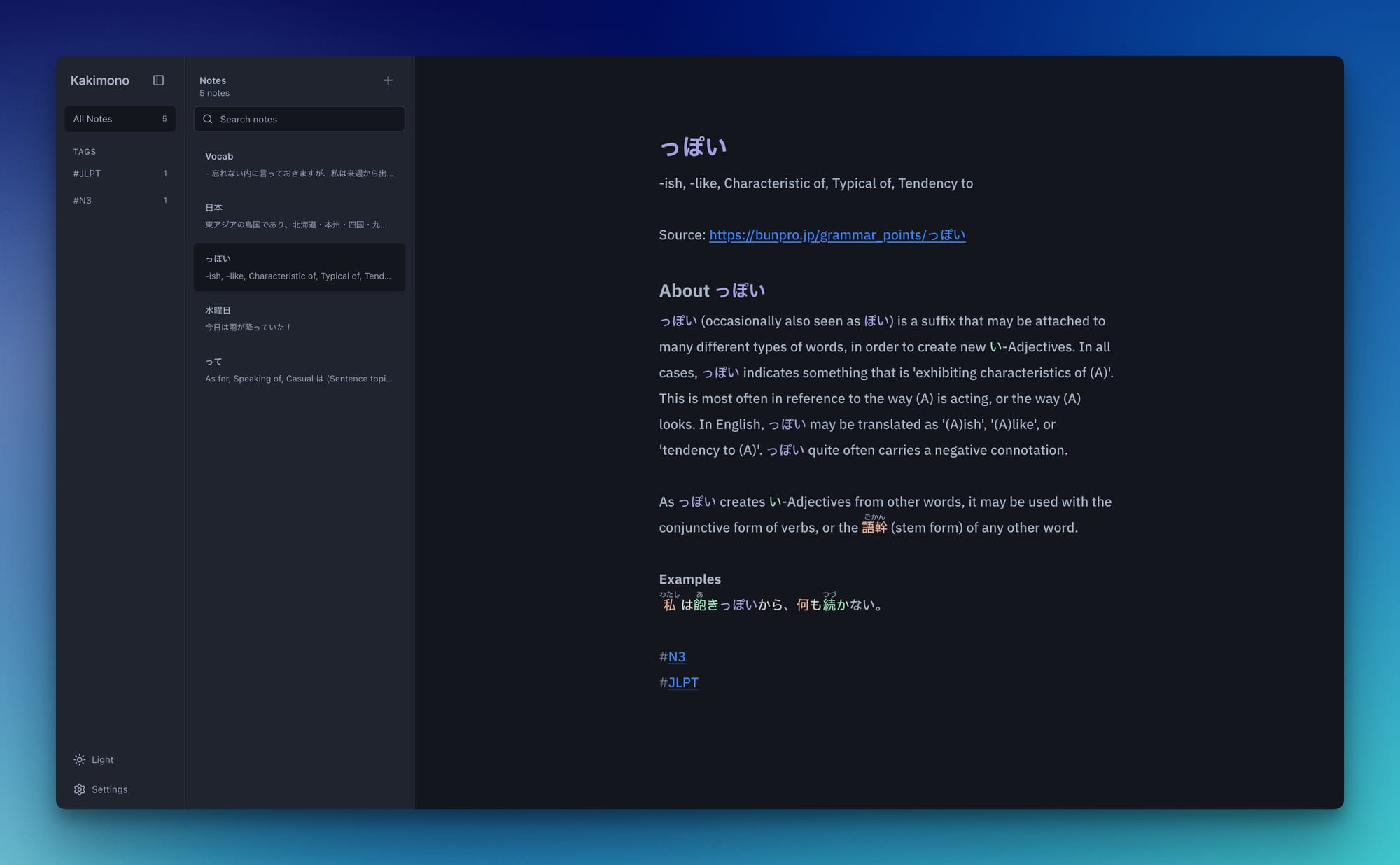
Short demo of Kakimono in action
See it live here: https://kakimono.app/
Kakimono is a note-taking app I'm building for Japanese learners. Built with SvelteKit, TypeScript, IndexedDB, CodeMirror, Kuroshiro, and Kuromoji.
The idea came from a pretty simple problem I kept running into: I wanted a clean place to write in Japanese, kind of like a playground, but with just enough help when I needed it. Not a full study app, not a flashcard app, not something full of buttons and popups. Just a place to write, but a bit smarter about Japanese.
Right now, Kakimono supports local notes, JLPT-based or WaniKani-based furigana, Japanese grammar highlighting, tags, wikilinks, focus mode, Markdown notes import, and exporting notes as Markdown, HTML, PDF, or JSON.
Technical things
At first, the feature sounded simple: if the user doesn't know a kanji yet, show the furigana above it.
Of course, it was not that simple!
Kanji readings depend a lot on context. So the app can't just look at each kanji character and guess the reading by itself. Kakimono uses Kuroshiro with Kuromoji to tokenize the Japanese text, generate readings, and then decide which furigana should actually be shown.
That last part is important. The app has a "known kanji" layer, so the editor does not need to care whether the user is using JLPT settings or WaniKani progress. If the user chooses N3, for example, Kakimono treats N5, N4, and N3 kanji as known. If they connect WaniKani, the app uses their SRS progress instead, so kanji that are still too early in the learning process can keep showing furigana.
The tricky part was making all of this work inside a live Markdown editor. I didn't want to modify the actual note content with generated HTML or ruby tags, because the Markdown source should stay clean. So furigana, grammar highlighting, hidden Markdown syntax, and focus mode are all rendered as CodeMirror decorations on top of the real text.
Lessons learned
Building this pushed me to think differently about the data layer. Content and rendering assistance had to stay separate from the start, or things like furigana and grammar highlighting would have ended up polluting the actual notes. It also meant designing IndexedDB to leave room for sync later, instead of assuming everything would always live only in the browser.
Current status
The app is local-first, so people can start writing immediately without creating an account. Notes are stored in the browser with IndexedDB. I'm planning more features too, like Renshuu integration and optional accounts/sync between devices, but those will be extra layers, the core writing experience should stay free and usable without signing in.
Kakimono is live right now as a local-first beta. I'm testing the core writing experience and would love feedback from anyone learning Japanese who wants to try it.